
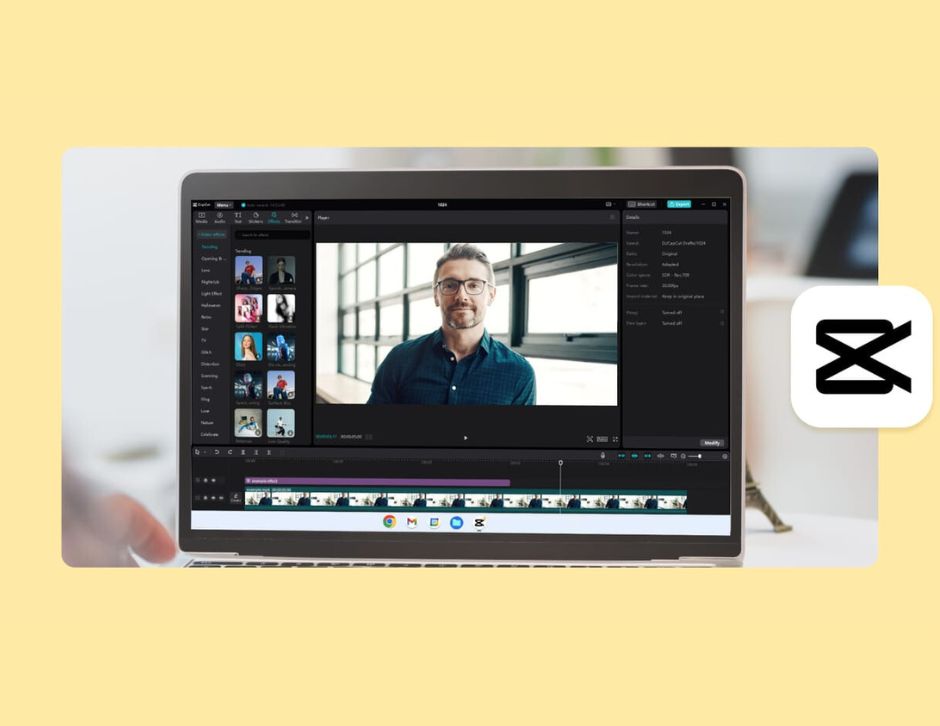
Creating awesome YouTube Shorts is quick and simple if you are equipped with the proper tools. It is hard for the majority of creators to hook viewers with short clips, but with an excellent online video editor, the gap is enormous.
CapCut Desktop Video Editor enables you to make Shorts with glitch-free cuts, sharp visuals, and on-point effects. Using the app, you can add text, music, and transitions with easy clicks.
YouTube Shorts should be short, catchy, and engaging, and you have everything you need to achieve that with CapCut PC. Here’s how you can make Shorts in a rush and as a pro.
Why CapCut PC Is Ideal for Quick YouTube Shorts.
CapCut Desktop Video Editor is accessible even for beginners. The layout is simple, and all the features are within arm’s reach. You are able to add clips, trim videos, and add effects with ease without getting yourself all confused. It offers quick editing options like templates, auto-subtitles, transitions, and AI effects.
They help you make professional-level shorts regardless of whether you possess some editing knowledge or not. CapCut PC is freemium software, whereby you receive basic features for free, but enhanced templates and AI effects require money.
All creators also use CapCut PC and a photo editor in a bid to maximize thumbnails or add photos that catch the attention of viewers. The couple saves time and effort, which allows you to create quality shorts every day.
You have an opportunity to spend less time editing and more time creating content that catches eyes while using CapCut Desktop Video Editor.
Major Features for Creating YouTube Shorts.
CapCut Desktop Video Editor boasts several features that allow you to create shorts in a timely and easy manner. There are AI-based features such as auto-cuts, text-to-video, and auto-subtitles.
For example, you can quickly transform an extended video into a short, clean video with auto-subtitles. This is time-efficient and has your Shorts at the ready to upload at all times.
Effects and templates provide access to pre-designed filters, transitions, and templates. One can simply click on a template, import your clips, and apply transitions automatically. This makes videos professional-looking even when one is just a beginner at editing. Advanced templates are paid for.
Audio options enable you to add music, sound effects, or narration. You just drag and drop a track from your library and synchronize it with your video. This enhances your Shorts as more engaging and dynamic.
Speed controls give you a time-lapse or slow-motion effect. You select a clip, tap the speed indicator, and adjust it based on the beat of your Short.
The export option gives you the freedom to export videos in high resolution, suitable for YouTube Shorts. Export, choose resolution, and save on your device.
For making professional auto-editing feasible, CapCut PC has included AI video generator tools. They allow you to make shorts instantly in minutes with reduced effort. Overall, these tools make CapCut Desktop Video Editor a one-stop solution for quick professional YouTube Shorts editing.
Step-by-Step Guide to Create YouTube Shorts in CapCut PC.
Step 1: Download and Install the CapCut Desktop Video Editor.
Download the CapCut Desktop Video Editor from the official website of CapCut. Open the installer once downloaded and follow the easy steps to install it on your system. Sign up with your email or social media account to use all the features.

Step 2: Import Video Clips.
Following the installation, open the home screen and tap on the Import button. You can import multiple audio, images, or video clips. Select the files to import on your device, and they will be easily accessed in the media library for future use.

Step 3: Edit and Enhance Clips.
Drag your clips onto the timeline. Trim and cut out unwanted footage using the trim and cut options. Merge clips by placing them side by side. Insert text overlays by clicking on Text, choosing transitions from Effects, and inserting AI filters from Filters.

Step 4: Add Music or Voiceover.
Tap on Audio to unlock the music library. Add an audio track to the timeline or your own voiceover. Adjust volume and timing to sync with the video.

Step 5: Export the Short.
Tap on Export, select the resolution, frame rate, and format suitable for YouTube Shorts, and save on your device. All exports are watermark-free except for advanced effects, which will incur a fee.
CapCut Desktop Video Editor is also employed by creators as an online video editor to edit quickly without an app or hardware adjustments. This makes editing and uploading shorts faster and more convenient.

Speed-Up YouTube Shorts Tips.
To make YouTube Shorts quicker, start with pre-designed templates in CapCut Desktop Video Editor. These enable you to place clips and effects easily with mere clicks. Use AI tools to automatically subtitle, shorten videos, or add effects in a hurry.
Batch processes multiple clips to save time rather than editing them individually. Have videos shorter than 60 seconds to fit the YouTube Shorts format. Repurpose intro, outro, and effects for other Shorts.
CapCut PC’s AI feature improves the edit process to be faster and easier than manually cutting all of it, and allows you to produce more shorts in less time.
Conclusion.
CapCut Desktop Video Editor enables fast and professional Shorts making for YouTube. It has templates, AI features, effects, music, and saves time.
Some of the tools are paid, but the basic tools are enough for most creators. Download CapCut Desktop Video Editor from the website and start making Shorts instantly.
Related Reads.


